
Wix Editor X AI Website Creator for Smarter Web Design
- 3 hours ago
- 12 min read
A website can look polished on a laptop and fall apart the moment someone opens it on a phone. That gap is where better design tools matter. The promise of a modern site builder is not just faster publishing. It is giving the page enough structure, flexibility, and intelligence to work across screens without turning every small change into a rebuild.
Wix has spent years building tools for people who want control without writing every line of code. Editor X was the more advanced side of that idea, built for responsive layouts, precise positioning, and design systems. Wix AI adds another layer: help with layout ideas, text, images, sections, and site setup. Together, they point toward a practical question: can artificial intelligence with Wix website hosting help create smarter websites, not just quicker ones?
The short answer is yes, if the tool is used with judgment. AI can speed up the first draft. Responsive editing can shape that draft into something usable. Hosting, security, and built-in site features can reduce the technical load. The real value comes from knowing where AI helps, where manual design still matters, and how to keep the final site clear, fast, and useful.

What Editor X brought to Wix web design
Editor X was built for designers and advanced site creators who wanted more layout control than a basic drag-and-drop editor. Its main appeal was responsive design. Instead of making one fixed layout and hoping it survived on smaller screens, Editor X gave more control over how elements stretched, stacked, resized, and aligned.
That matters because modern websites have to work across a messy range of screen sizes. A site might be viewed on a large monitor, a tablet held sideways, a phone in portrait mode, or a small browser window. A design tool that treats those views as afterthoughts creates extra work. A tool that treats them as part of the layout from the start gives the site a stronger foundation.
Editor X was known for features such as:
Flexible grids and sections
Breakpoints for different screen sizes
Docking and positioning controls
Reusable design elements
Layout tools for complex visual pages
Compatibility with Wix hosting and site features
These features made it easier to build pages that felt intentional on more than one screen. A hero section could keep its visual balance on desktop, then stack cleanly on mobile. A gallery could shift from multiple columns to fewer columns without breaking the rhythm of the page. A callout section could keep text readable instead of shrinking into a cramped block.
For many site owners, that level of control was the missing piece. Basic site builders can be fast, but they often trade speed for precision. Custom code can give full control, but it raises cost and maintenance work. Editor X sat between those worlds. It gave visual builders more serious layout tools while staying inside the Wix ecosystem.
There is one current detail worth understanding. Wix has expanded its advanced creation tools through Wix Studio, which carries forward many of the ideas associated with Editor X. If someone talks about Editor X today, they may also be talking about the broader Wix design platform that now includes AI-assisted creation and more advanced responsive workflows. The names can shift, but the core need stays the same: building websites that are flexible, easy to manage, and ready for real visitors.
That is where AI becomes interesting. On its own, responsive control helps shape the site. AI helps create the starting point.
How Wix AI changes the website creation process
The hardest part of building a website is often not the technical setup. It is the blank page. What sections should the homepage have? What should the headline say? How should the services be explained? What pages are needed at launch? Wix AI helps by turning a rough idea into something visible.
A Wix AI website workflow usually begins with prompts or guided questions. The tool may ask what kind of site is being created, what the business or project does, what tone fits the content, and what features are needed. From that input, AI can draft a site structure, suggest copy, pick page sections, and help shape the first design direction.
That first draft will not be perfect. It should not be treated as final. But it can be extremely useful because it gives the project a starting shape.
Instead of facing a blank homepage, the creator may get:
A clear hero section
A short introduction
Suggested service or product blocks
About page copy
Contact sections
Suggested calls to action
Basic page structure
Image or media suggestions
This can cut down the early decision load. The creator can then edit, remove, rewrite, and rearrange with a clearer sense of the site’s direction.
The smartest use of AI is not to accept everything it gives. The better approach is to use AI as a drafting partner. Let it propose. Then make the human choices that define the site.
For example, AI may write a homepage headline that says the company provides “high-quality solutions.” That phrase is too vague. A stronger human edit would name the exact service, audience, or outcome. AI may generate a services section with five items, but only three may matter. Deleting the weak sections can make the page sharper.
Wix AI can also help with smaller but time-consuming tasks. It can suggest text for product descriptions, write short section introductions, create alternative phrasing, and help with page titles or meta descriptions. For a site creator who knows the business but struggles to write web copy, that support can keep the project moving.
The key is to keep the site specific. AI often defaults to broad, safe language. Good websites do the opposite. They answer real questions in plain terms.
A weak AI-generated line might say:
We provide quality services to meet your unique needs.
A stronger edited version might say:
We build responsive Wix websites for local service businesses that need clear pages, simple booking, and easy updates.
The second version works harder. It says what is offered, who it helps, and what the visitor can expect. AI can help get there, but human editing makes the message credible.
Why AI works best with responsive design controls
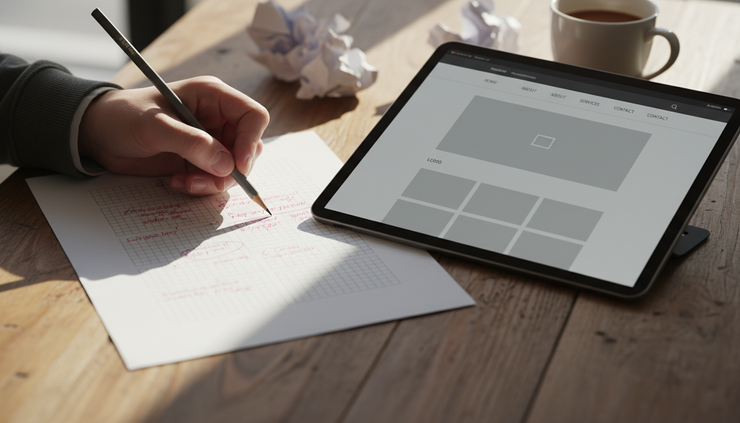
AI can produce a layout quickly, but layout quality still depends on structure. A website is not just a collection of text blocks and images. It is a set of decisions about order, spacing, hierarchy, and behavior across screen sizes.
That is why the combination of AI and a responsive builder matters. AI can suggest the page. Responsive controls make it usable.
A homepage may look good when first generated, but several problems can appear once it is viewed on different devices:
Headlines may wrap awkwardly on mobile.
Images may crop important details.
Buttons may sit too close to other elements.
Columns may become too narrow.
Sections may have too much empty space.
Text may lose contrast over background images.
The reading order may feel confusing.
A smarter design workflow checks those issues before launch. In Editor X-style responsive editing, the creator can adjust how sections behave at different breakpoints. A three-column feature area might become two columns on tablet and one column on mobile. A wide image can be repositioned so the subject stays visible. Padding can shrink on small screens without making the page feel crowded.
AI can help build the first version, but responsive controls protect the user experience.
Think about a restaurant site. AI might generate a polished homepage with a large food photo, a menu preview, a reservation button, and customer-friendly copy. That is a good start. On mobile, the same site needs a different kind of care. The reservation button must be easy to tap. The menu must load cleanly. The address and hours should be simple to find. Large images should not slow everything down.
A pretty desktop design is not enough. Most visitors will judge the site by how quickly they can complete the task they came for.
The same applies to many site types:
Site type | What AI can help create | What responsive controls must protect |
Service business | Page sections, service copy, contact prompts | Readable service blocks and tap-friendly contact buttons |
Portfolio | Project descriptions and gallery structure | Clean image scaling and smooth project browsing |
Online store | Product descriptions and category text | Clear product grids and simple checkout paths |
Restaurant | Menu sections and reservation prompts | Fast mobile access to hours, location, and booking |
Event site | Schedule copy and speaker or performer sections | Easy scanning on phones and readable agenda layouts |
This is where the Wix Editor X AI website creator idea becomes useful. The AI side helps answer, “What should be on this site?” The responsive builder side helps answer, “How should it work for people using it?”
Both questions matter. A site with strong content but poor mobile layout will frustrate visitors. A site with smooth layout but empty copy will fail to explain anything. Smarter web design brings both together.
What Wix hosting adds to the experience
A website builder is only part of the system. The site also needs to live somewhere, load reliably, stay secure, and connect to the features that keep it useful. Wix website hosting is built into the platform, which means site creators do not have to choose a separate hosting company, connect servers, or manage most technical hosting tasks by hand.
That built-in model has a clear advantage: fewer moving parts.
When the builder, hosting, templates, content tools, media library, security features, and updates all live in one place, the publishing process feels simpler. A person can create pages, connect a domain, set up forms, add booking or store features, and publish from the same platform.
For many websites, that convenience matters more than having full server control. A local service site, personal portfolio, small online store, event page, blog, or landing page usually needs dependable hosting and easy updates. It does not need custom server management.
Wix hosting typically handles the background tasks that many non-developers do not want to manage directly, such as:
Site storage and delivery
Security support
Platform updates
SSL certificate support
Media handling
Connection to Wix apps and features
Publishing tools
Domain connection options
This matters when AI is part of the workflow. If AI helps create a site quickly, hosting must make publishing just as smooth. Otherwise, the speed gained during creation gets lost in technical setup.
Built-in hosting also supports ongoing changes. Most websites are not finished after launch. A site owner may need to update service details, add photos, publish blog posts, adjust store products, change seasonal hours, or edit a homepage message. With Wix, those edits happen inside the same environment where the site was built.
That said, built-in hosting also comes with tradeoffs. Wix is a managed platform, not a blank server. That means creators work within Wix’s system. For many people, that is a benefit. For teams that need unusual server setups, highly custom backend systems, or full control over every technical layer, another path may fit better.
The practical question is not whether built-in hosting is always better. The question is whether it matches the site’s needs.
For most small-to-mid-sized web projects, the answer is often yes. The site needs to look good, load well, support common features, and be easy to update. Wix’s hosted setup serves that kind of project well, especially when paired with AI tools that make creation faster.

Where human judgment still matters
AI website tools can create a site draft quickly, but speed can hide weak decisions. A generated site may look complete before it is ready. The sections may be there. The buttons may work. The design may seem polished. Yet the site can still feel generic, unclear, or disconnected from what visitors need.
Human judgment matters most in five areas.
The message must be specific
AI often writes safe copy. Safe copy sounds fine at first, but it does not help a visitor decide what to do next. Strong web copy names the offer, explains the value, and removes confusion.
A homepage should answer basic questions fast:
What is this site about?
Who is it for?
What can a visitor do here?
Why should the visitor trust it?
What is the next step?
If the page does not answer those questions, the design cannot save it.
For example, “Creative services for modern brands” could mean almost anything. “Custom Wix websites for photographers who need portfolio pages, booking, and private client galleries” gives the visitor a clear picture.
The design needs restraint
AI tools can suggest attractive sections, but too many sections can weaken a page. A homepage does not need every possible feature. It needs a clear path.
Good design often means removing what does not support the visitor’s next step. That may mean using fewer colors, fewer fonts, fewer animations, and fewer competing calls to action. A clean page gives attention to the right elements.
A strong site usually has one primary action per page section. Book a consultation. View the menu. See the work. Request a quote. Buy the product. Read the guide. When every button seems equally important, none of them feel important.
The site must match real visitor behavior
AI can help generate a structure, but it does not know every detail of the audience unless the prompt includes it. A fitness coach, bakery, software consultant, and wedding photographer all need different user flows.
A bakery site may need hours, location, menu, order information, and allergy notes near the top. A photographer may need portfolio categories, pricing guidance, testimonials, and booking steps. A consultant may need proof of expertise, clear service packages, and a simple inquiry form.
The best website structure comes from visitor intent. What is someone trying to do when they arrive? The layout should support that task.
The visuals need meaning
AI may suggest images that look polished but do not say much. Real photos, clear product images, original graphics, and consistent visual choices make a site feel more trustworthy.
Stock-style visuals can work when chosen carefully, but random decorative images often make a site feel generic. A service page about home remodeling should show actual spaces or clear examples. A portfolio should show real work. A restaurant site should show food and atmosphere in a way that matches the experience.
Visuals should help visitors understand, believe, or act. If an image does none of those, it is decoration.
Accessibility cannot be skipped
Smarter design also means more people can use the site. AI can assist with wording and structure, but accessibility needs careful review.
Important checks include:
Clear contrast between text and background
Descriptive alt text for meaningful images
Logical heading order
Buttons and links that explain the action
Forms with clear labels
Text that stays readable on small screens
Navigation that works without confusion
Accessibility is not a special extra. It is part of good design. It helps people using screen readers, people on mobile devices, people with low vision, and people who simply want a clear experience.
A practical workflow for building with Wix AI and Editor X-style tools
The best workflow uses AI early, then design judgment throughout. A simple process can keep the project from becoming messy.
Start with the site goal. Before opening the builder, write one sentence that defines what the site should do. A clear goal might be, “Help homeowners request estimates for kitchen remodeling,” or “Show a photographer’s best work and encourage portrait session bookings.”
Then define the must-have pages. Most small websites do not need a huge sitemap at launch. A practical starting point may include:
Home
About
Services or products
Portfolio or examples
Contact
Blog or resources, if content will be updated regularly
Next, use Wix AI to create a first version. Give it specific details. Include the type of site, location if relevant, tone, services, features, and preferred page sections. The better the prompt, the better the draft.
A weak prompt might be:
Make a website for a consultant.
A stronger prompt would be:
Create a clean website for an independent operations consultant who helps small manufacturers improve scheduling, reduce missed deadlines, and train team leads. Include a homepage, services page, about page, case examples section, and contact form. Use clear, direct language.
After the AI draft appears, review the structure before editing colors or images. Ask whether the sections are in the right order. The homepage should usually move from clarity to trust to action. That might mean:
Clear headline and primary button
Short explanation of the offer
Key services or products
Proof, such as examples or testimonials
Process or next steps
Contact or booking section
Then edit the copy. Remove vague phrases. Add real details. Replace broad claims with concrete language. If the business has a unique process, clear pricing model, special service area, or strong proof, add it.
After the message is clear, refine the responsive layout. Check desktop, tablet, and mobile views. Look for awkward line breaks, crowded buttons, cropped images, and sections that feel too long. Adjust spacing and stacking so the page feels designed for each screen.
Next, review site settings and hosting basics. Connect the domain, check SSL support, test forms, review page titles, and publish only when the main paths work. Submit test inquiries. Click every key button. Read the site on a phone.
Before launch, run one final content test. Ask whether a first-time visitor can understand the site in under a minute. If not, simplify.
This workflow keeps AI in the role where it helps most. It gives momentum, options, and drafts. The creator still owns the choices.

The smartest way to think about Wix AI
The appeal of Wix AI is speed, but the bigger value is direction. It helps turn a loose idea into pages, sections, and words that can be shaped. For many site creators, that removes the hardest first step.
The appeal of Editor X-style design control is precision. It helps turn a draft into a responsive website that works across screens. For more visual projects, that control can make the difference between a site that merely exists and a site that feels considered.
The appeal of Wix hosting is simplicity. It keeps building, publishing, and ongoing updates in one system. That makes it easier to maintain the site after launch, which is when many websites start to fall behind.
Used together, these tools support a smarter web design process:
AI creates momentum.
Responsive controls create structure.
Hosting makes publishing and updates easier.
Human editing keeps the site honest and useful.
That last point is the one to remember. AI can help create a website, but it cannot fully understand the business, the visitor, or the context on its own. The strongest results come from pairing AI speed with human specificity.
A smarter Wix website is not the one with the most generated sections or the flashiest effects. It is the one that explains the offer clearly, works well on every screen, loads reliably, and makes the next step easy. Use AI to get started faster. Use responsive design tools to make the experience stronger. Use careful editing to make the site feel real.
Bio. Geneva is a computer scientist. He runs JGaming, Jsearch & AI.


Comments